
2 posts tagged with "email automation"

View All Tags

How Shopify Wishlist Price Drop and Back-in-Stock Alerts Work

· 7 min read
TValueApps Team
True Value: Wishlist Email

Wishlist product alerts notify Shopify shoppers when the reason they postponed a purchase changes. A price-drop alert responds to a lower price, a back-in-stock alert responds to restored availability, and a low-stock alert warns that a saved product is approaching a configured inventory threshold.

With TValue: Wishlist, these are separate automations. Each flow has its own trigger and email template, so the message can match the event instead of sending the same generic reminder for every situation.
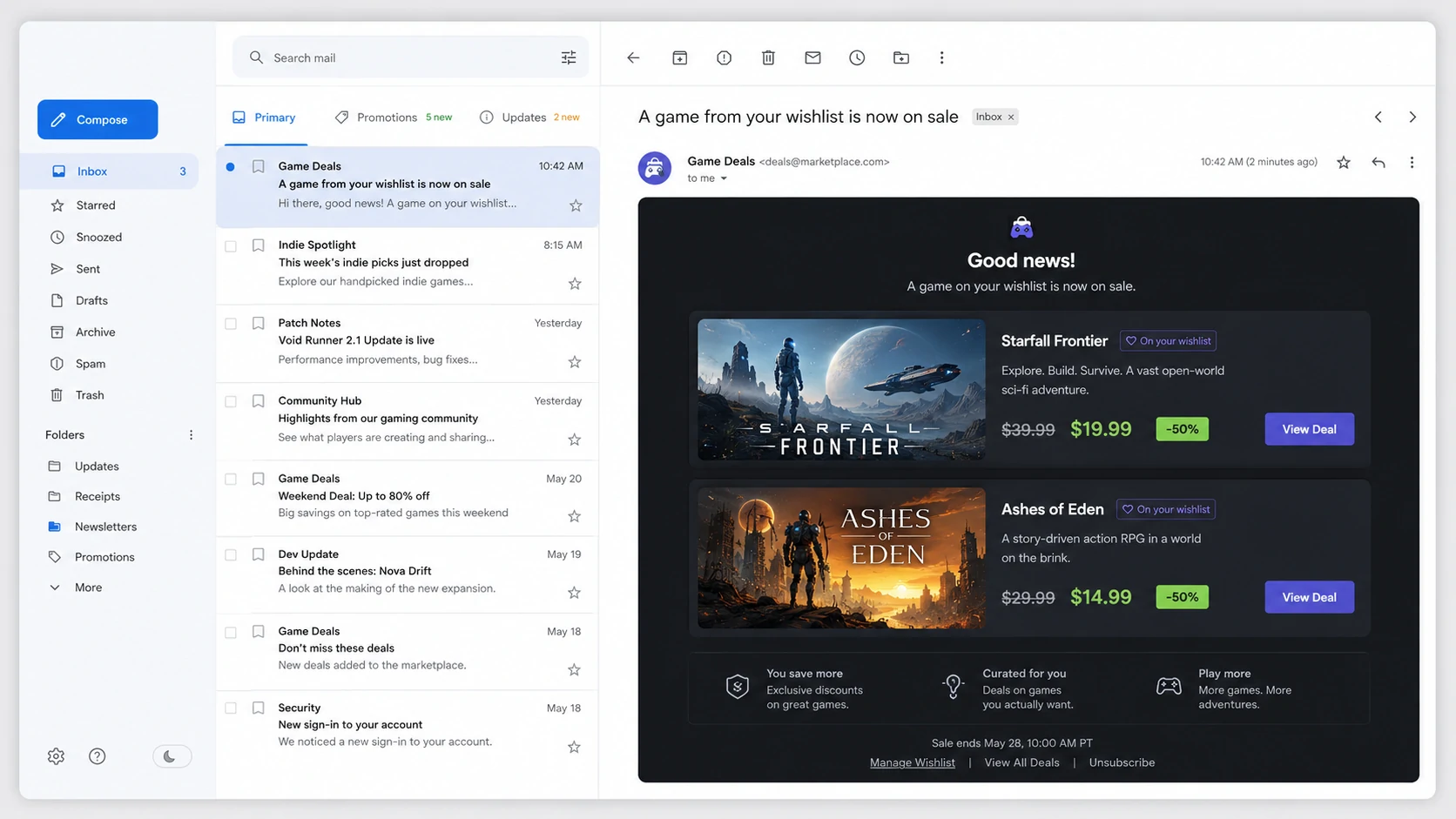
Wishlist price-drop email showing saved products with their previous and current prices

A product alert works because something relevant changed after the shopper saved the item.
How to Send Automated Wishlist Reminder Emails on Shopify

· 8 min read
TValueApps Team
True Value: Wishlist Email

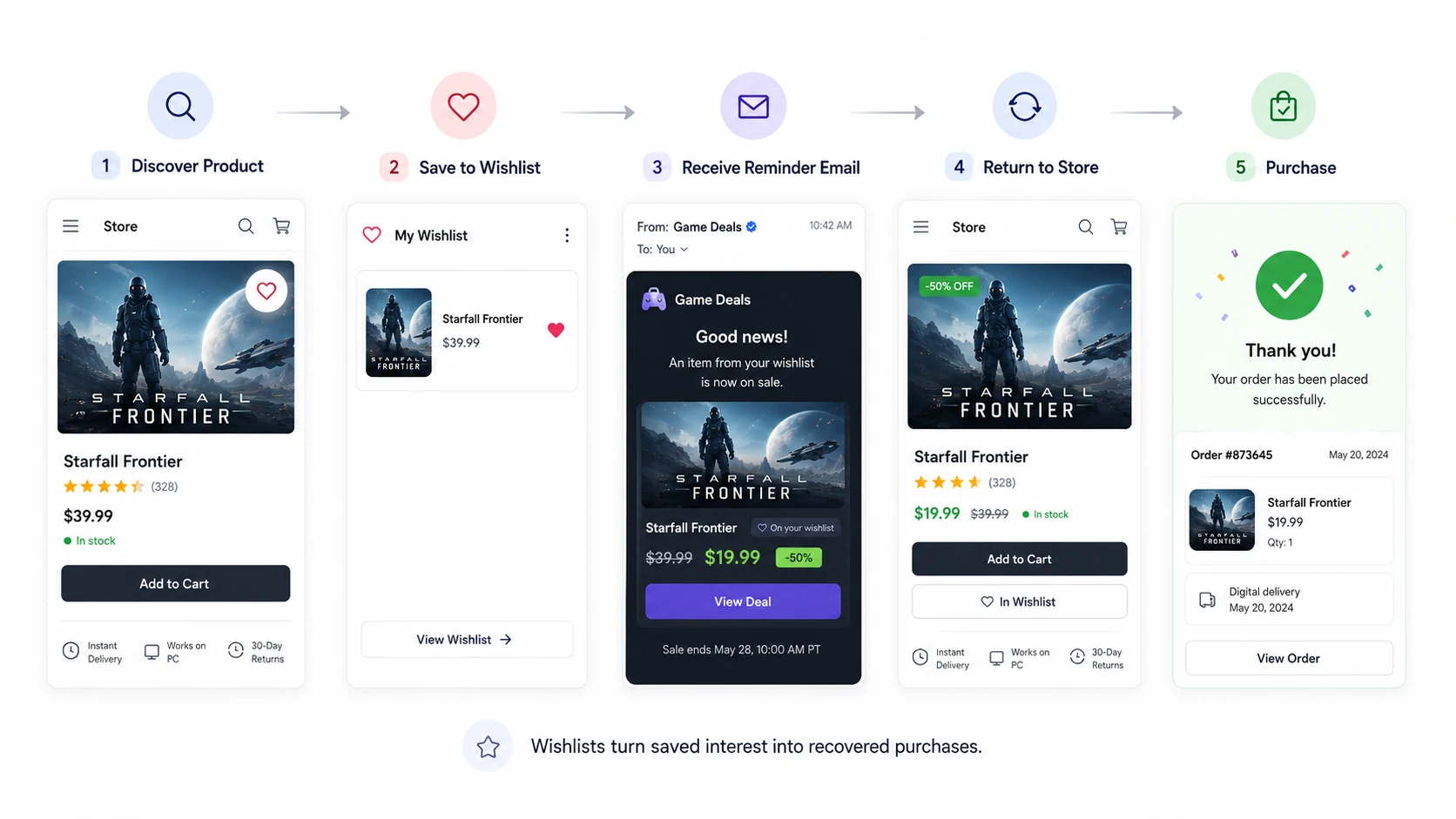
An automated wishlist reminder email brings a shopper back to products they deliberately saved but have not yet purchased. With TValue: Wishlist, the first qualifying save starts a configurable delay, additional products saved during that delay are grouped into the same reminder, and the email is sent at the scheduled time.

This is different from sending one message for every click. The delay creates one useful summary of recent wishlist interest instead of a stream of repetitive emails.

Flow from discovering a product and saving it to receiving a wishlist reminder email and returning to purchase

A reminder reconnects an earlier save action with a later opportunity to return to the store.