A guest wishlist helps gift shoppers preserve ideas before they are ready to create an account or buy. They can save several products for a birthday, compare options for a wedding, or build a shortlist while waiting to confirm the recipient's preferences.
For a Shopify gift store, the useful sequence is simple: let the visitor save first, ask for contact information after the wishlist contains something worth keeping, and follow up only when the message helps them continue the decision.
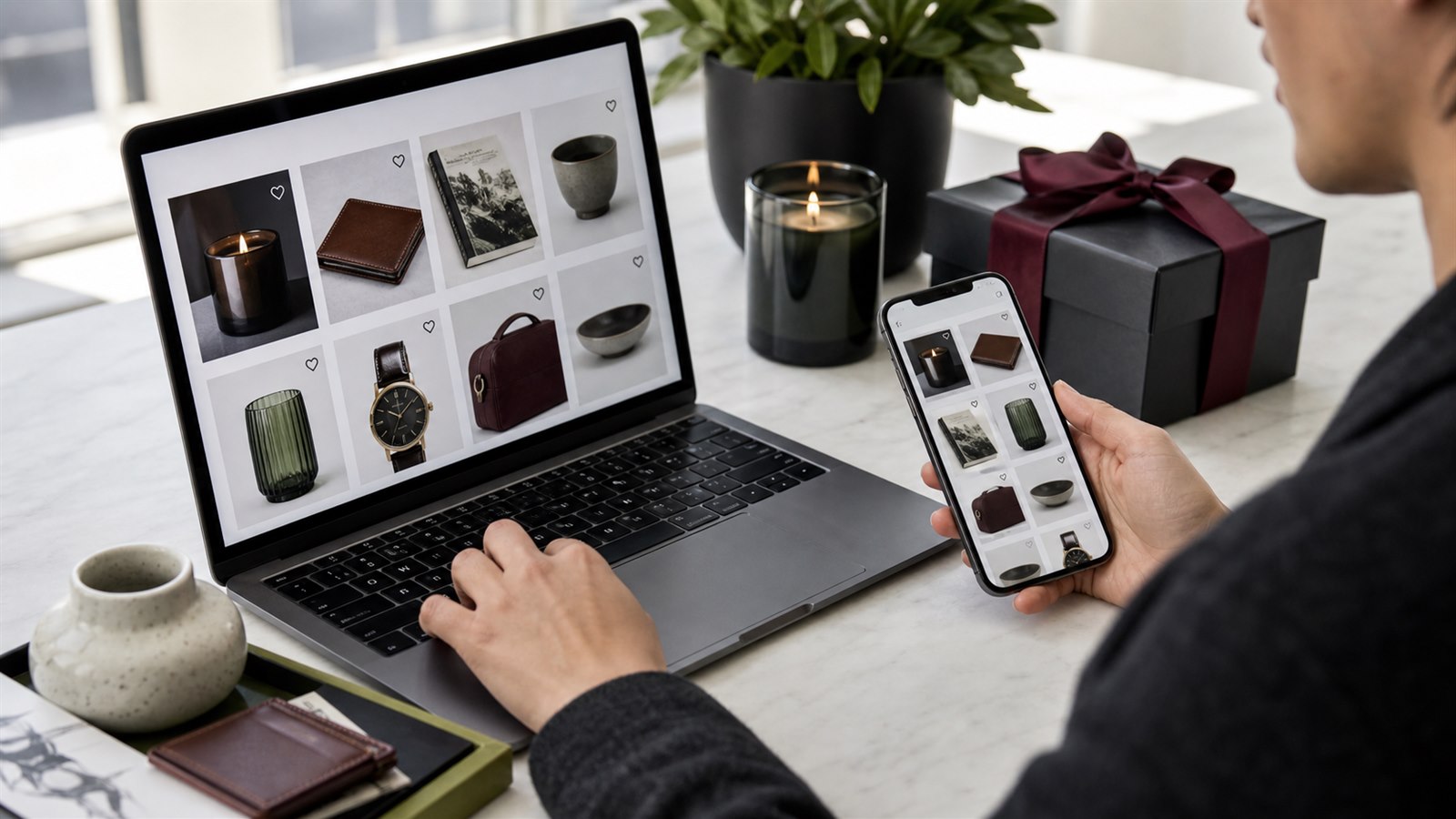
Guest wishlists let visitors build a useful gift shortlist before deciding whether to identify themselves.
Why gift shopping benefits from a guest wishlist
Gift shopping often starts with uncertainty. The shopper may know the occasion but not the exact product, need to compare several recipients, or return after checking size, color, delivery timing, or budget.
A cart is poorly suited to this early comparison. It suggests an immediate purchase and mixes gift ideas with products the shopper may be buying for themselves. A wishlist gives the shortlist a stable place without forcing every candidate into checkout.
| Gift-shopping situation | What the wishlist preserves | Useful next step |
|---|---|---|
| Comparing several ideas | The products under consideration | Grouped wishlist reminder |
| Waiting to confirm a preference | The exact shortlist | Return to the wishlist later |
| Planning around an occasion | Intent before the purchase date | Timed reminder or manual campaign |
| Waiting for an unavailable option | Interest in the saved product | Back-in-stock alert |
| Working within a budget | Interest before a meaningful price change | Price-drop alert |
| Shopping across devices | A reason to sign in or leave an email | Connect the wishlist to the shopper |
This use case is a shopper's private shortlist. It should not be described as a gift registry or shared public wishlist unless the store has separately implemented those experiences.
Let visitors save before asking them to sign in
Requiring login on the first wishlist click introduces an account decision before the store has created much value. A visitor arriving from search, an advertisement, or a social post may only want to remember one product while continuing to browse.
With TValue, disabling Require login for wishlist allows guests to save products immediately. Stores with a deliberate membership, wholesale, or account-specific model can keep the login requirement, but most consumer gift stores should test the guest-first path before adding that restriction.
The storefront should make saving available during product discovery, particularly on the main collection page and product page. Header and floating entry points can then reopen the wishlist as a page or popup.
See Require login for wishlist and Auto show wishlist button for the available controls.
Ask for contact after the shortlist has value
An anonymous guest can save products, but an email workflow needs an eligible recipient. TValue separates those moments instead of treating account creation as a prerequisite for saving.
The guest identification experience changes with the wishlist state:
- Sign in to save your wishlist can appear in the wishlist header, including when the wishlist is empty.
- After the guest has saved at least one item, the wishlist sidebar can offer Sign in and Leave email.
- Choosing Leave email opens the contact form.
- The optional Save wishlist contact popup can ask the guest to sign in or leave an email after wishlist activity.
This sequence is useful for gift stores because the request has context. The shopper is not being asked for an email merely for opening the storefront; they have already created a shortlist they may want to preserve and revisit.
Do not imply that every guest wishlist is reachable. Until the shopper signs in or provides an eligible email, the store cannot deliver an email reminder to that anonymous visitor.
Read How to Add a Guest Wishlist to Shopify Without Login and Save wishlist contact popup for the complete behavior.
Keep one shopping session together
A shopper may save a candle, bag, book, and accessory while considering one recipient. Sending a separate reminder for every save would ignore the way the shortlist was built.
TValue's Wishlist Reminder uses the configured delay as an aggregation window. The first qualifying save schedules the reminder. Additional products saved during that window join the same message without restarting the timer, and products removed before delivery are excluded.
The grouped email can return the shopper to their current ideas rather than presenting each product as an unrelated trigger.
Choose the delay according to the store's buying cycle. Last-minute gifts may justify a shorter window than considered gifts planned weeks in advance. Recipient-local scheduling can apply the selected send time in each shopper's timezone, reducing obvious delivery mismatches across regions.
See How to Send Automated Wishlist Reminder Emails on Shopify for delay and grouping details.
Use product alerts when something meaningful changes
A general reminder is not always the best reason to return. Gift shoppers may be waiting for a product to become available or fit their budget.
- Price Drop can notify eligible shoppers when a saved product reaches the configured percentage reduction.
- Back in Stock can notify shoppers when a saved unavailable product becomes purchasable again.
- Low Stock can communicate genuine tracked availability before it narrows further.
Keep these messages separate. A price-drop email should explain the previous and current price. A back-in-stock email should lead with restored availability. A low-stock email should remain factual instead of inventing urgency.
Gift deadlines make accuracy especially important. Test the product link, purchasable variant, market, delivery information, and inventory state before relying on an alert.
Read How Shopify Wishlist Price Drop and Back-in-Stock Alerts Work for the trigger differences.
Use manual campaigns for real gifting moments
Automations respond to individual wishlist behavior. A seasonal or occasion-based campaign has a different purpose.
TValue Manual sends let a merchant choose wishlist customers with an email address, narrow them by recent activity or saved product, and send using all or selected wishlist items. A campaign can be sent immediately or scheduled, including recipient-local timing for fixed sends.
This is useful when the store has a legitimate reason to contact a selected audience, such as:
- A seasonal gift collection becoming available.
- A shipping deadline approaching.
- A selected saved-product collection entering a promotion.
- A campaign for shoppers who recently saved relevant products.
Use discount blocks when an actual offer supports the campaign. Do not train every shopper to expect a coupon immediately after saving a product.
See Manual sends and Email templates for campaign and template controls.
Design the message around the shopper's decision
A gift-oriented wishlist email should help the shopper recognize their saved ideas and continue evaluating them. It does not need to guess the recipient or invent a gifting story the store does not know.
Useful content includes:
- Clear saved-product images and titles.
- Current price or availability context when relevant.
- A direct return path to the product or wishlist.
- Concise shipping, returns, gift wrapping, or support information when accurate.
- Translation appropriate to the shopper's available locale.
- A real discount only when one is part of the campaign.
Avoid writing as though the store knows the occasion, relationship, or recipient unless the shopper explicitly supplied that information through another system.
Measure whether the wishlist helps
Use reports to distinguish a useful shortlist from activity that never progresses.
| Signal | Question to investigate |
|---|---|
| Many current saves | Which products repeatedly enter gift consideration? |
| High remove rate | Are shoppers comparing alternatives, or is product information weak? |
| Saves followed by Add to cart | Does the wishlist provide a practical return path? |
| Email clicks without orders | Were availability, delivery timing, or checkout conditions suitable? |
| Wishlist-attributed orders | Which saved products eventually appear in purchases? |
Wishlists show consideration, not a confirmed gift order. Combine the data with traffic, inventory, delivery promises, returns, margins, and completed orders before changing the assortment.
See Wishlists, Products, and Orders for the underlying views.
A practical guest wishlist plan for gift stores
- Add wishlist actions to the main collection and product journeys.
- Allow guest saving unless the business has a deliberate account requirement.
- Verify the empty and non-empty guest wishlist states.
- Decide whether to enable the additional contact popup.
- Configure one grouped Wishlist Reminder with an appropriate delay.
- Enable product-change alerts only when price and inventory data are reliable.
- Build and test the email templates in a real inbox.
- Use Manual sends for selected gifting campaigns rather than generic blasts.
- Review saved products, actions, email engagement, and attributed orders.
The storefront setup is covered in How to Add a Wishlist to Shopify Without Editing Theme Code.
Mistakes to avoid
- Requiring an account before the first save without a clear reason.
- Treating an anonymous guest as an email recipient.
- Asking for contact before the wishlist contains anything useful.
- Sending a separate reminder for every saved gift idea.
- Calling a private wishlist a registry or sharing feature.
- Guessing the gift occasion or recipient in email copy.
- Using false scarcity around gifting deadlines.
- Applying discounts to every save by default.
- Measuring opens without checking product clicks and attributed orders.
Final recommendation
The strongest gift-store wishlist begins as a low-friction place to keep ideas. Let the shopper build that value first, offer sign-in or email capture at an understandable moment, and use reminders, product alerts, or manual campaigns only when each message provides a real reason to return.