A jewelry wishlist gives shoppers time to consider a meaningful purchase without losing the exact products that interested them. Someone may save several ring designs before choosing one, revisit a necklace closer to an occasion, or wait for a preferred material, size, or price.
For a Shopify jewelry store, the recovery opportunity is not simply to send more reminders. It is to preserve the shopper's shortlist, identify the shopper at an appropriate moment, and send a message that respects the longer decision process.
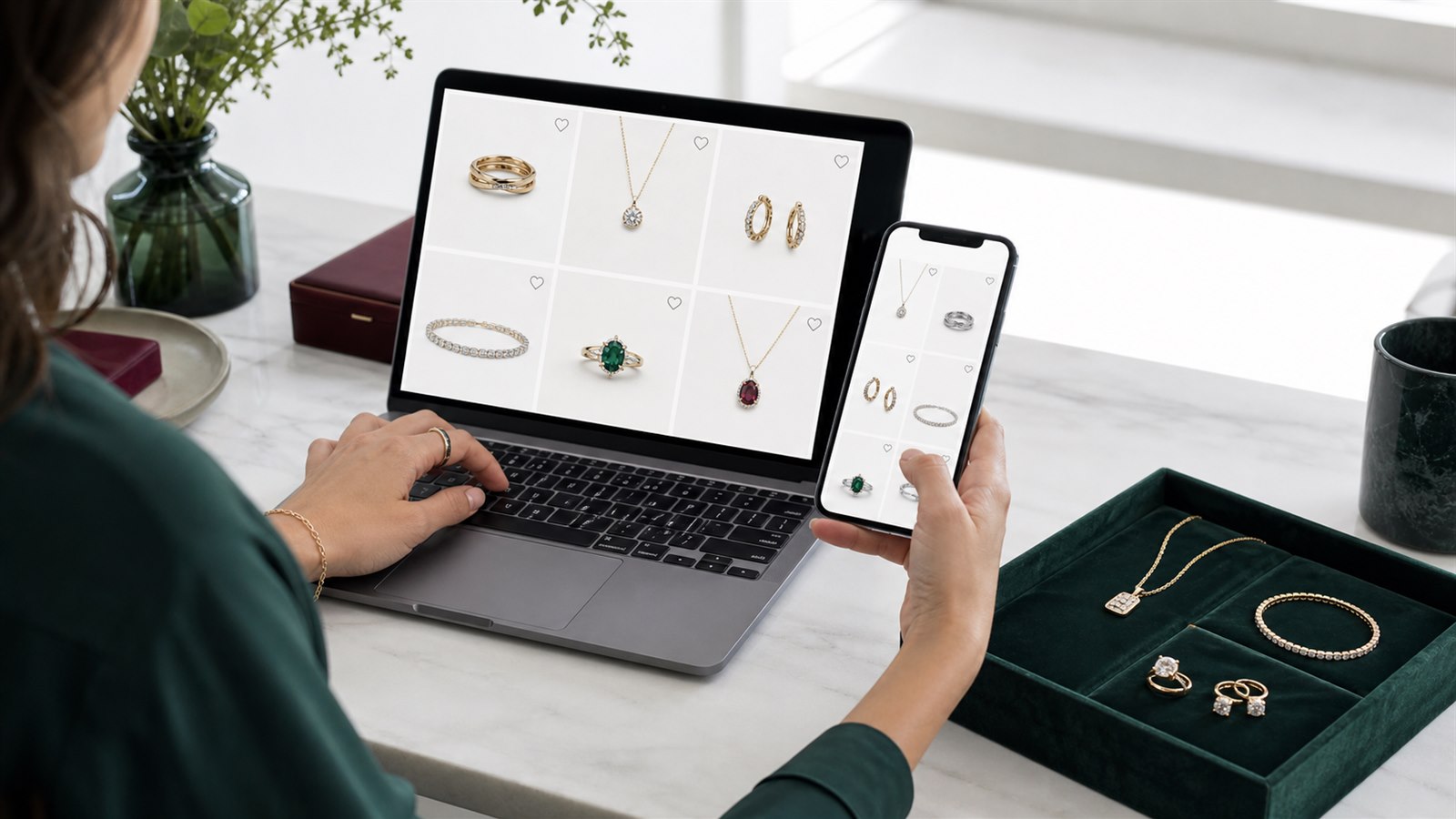
A jewelry wishlist supports comparison and consideration before the shopper is ready to purchase.
Why jewelry creates strong wishlist intent
Jewelry shoppers often need to resolve more than product preference. The final decision may involve price, materials, dimensions, fit, delivery timing, gifting, or confidence in how the piece will look and feel.
A wishlist preserves that consideration without forcing the product into a cart too early.
| Shopper situation | What the wishlist preserves | Useful next step |
|---|---|---|
| Comparing several designs | A deliberate shortlist | Grouped wishlist reminder |
| Choosing a ring size or material | Product and variant context | Return to the saved product |
| Planning a gift or personal occasion | Intent before the buying date | Carefully timed reminder or manual campaign |
| Waiting for a preferred option | Interest in a temporarily unavailable product | Back-in-stock alert |
| Waiting for a meaningful price change | Interest before the offer exists | Price-drop alert |
| Considering a limited piece | Interest while availability narrows | Factual low-stock alert |
This intent is valuable because the shopper selected the product voluntarily. It should still be treated as consideration rather than a guaranteed purchase. The purpose of recovery is to remove a reason for postponement, not to pressure every shopper who clicks a heart icon.
Build the wishlist around comparison
The storefront should make it easy to save a piece from the main collection page and product page, then reopen the same shortlist from a header or floating button. TValue can open the wishlist as either a dedicated page or popup from those entry points.
Inside the wishlist, shoppers can search saved products, organize them with tags, select variants, add products to cart, and identify product changes. This is useful when the shortlist contains several similar pieces or when the shopper returns after the catalog has changed.
Jewelry variants need deliberate testing. Depending on the catalog, a variant may represent ring size, chain length, metal, stone, finish, or another purchasable option. Verify that the saved product returns the shopper to a valid selection and that availability messages reflect the relevant Shopify inventory setup.
For standard placements, TValue automatically integrates with supported themes. If a custom product card, featured collection, quick view, or theme section is missed, contact TValueApps so that support can be added before relying on Custom placement.
See Auto show wishlist button and Custom placement for the available placement models.
Let the shopper save before asking for an account
Requiring login before the first save asks the shopper to make a commitment before the wishlist has created any value. For most consumer jewelry stores, a guest-first model is less disruptive:
- The visitor saves one or more pieces without signing in.
- The wishlist preserves the shortlist in the current browsing journey.
- After at least one item has been saved, the shopper can sign in or leave an email.
- Once an eligible email is available, the wishlist can participate in recovery workflows.
TValue provides the sign-in and leave-email actions inside the wishlist page or popup. An optional contact prompt can also appear after wishlist activity. Stores built around membership, wholesale access, or account-specific pricing can instead require login before saving.
The distinction matters: guest saving captures interest, while email capture makes that interest reachable. They do not need to happen in the same interaction.
Read How to Add a Guest Wishlist to Shopify Without Login for the complete access model.
Choose timing that matches consideration
A fast reminder may work for a frequently purchased accessory but feel premature for a higher-value piece. There is no universal delay for jewelry. The right timing depends on product value, buying frequency, occasion, traffic source, and the store's existing email cadence.
TValue's Wishlist Reminder starts its delay with the first qualifying save. Products added during that delay are grouped into the same message rather than creating separate emails, and later additions do not restart the timer. Products removed before delivery are excluded.
Grouping is particularly useful for jewelry because comparison is often the point of the wishlist. The email can return the shopper to the shortlist instead of treating every saved ring, bracelet, or necklace as an unrelated campaign trigger.
Recipient-local scheduling helps international stores avoid sending every shopper at the same store-local hour. It does not determine how long the consideration period should be; it controls when the resulting message arrives in the recipient's day.
Test timing by category rather than assuming the whole catalog behaves identically. A lower-priced everyday collection and a high-consideration fine-jewelry collection may deserve different campaign decisions even when they share the same storefront.
See How to Send Automated Wishlist Reminder Emails on Shopify for aggregation and delay behavior.
Give each automation a distinct purpose
TValue separates the four core recovery automations:
Wishlist Reminder
Use the reminder to reconnect a shopper with a saved shortlist after a meaningful delay. The message should emphasize the products they chose, not introduce an unrelated promotion.
Price Drop
Use a price-drop alert when the configured percentage threshold is met. Showing the previous and current price gives the message a concrete reason to exist.
Price messaging deserves restraint in jewelry. A discount can help resolve price hesitation, but constant promotion may conflict with the positioning of a premium or limited collection. Configure a threshold that reflects a real merchandising change rather than notifying shoppers about every minor adjustment.
Back in Stock
Use a back-in-stock alert when an unavailable saved product becomes purchasable again. Confirm how the relevant size, material, or other variant is represented before relying on the workflow.
Low Stock
Use a low-stock alert to communicate genuine tracked availability. Keep the wording factual. The message should help the shopper understand that availability changed, not manufacture urgency that the inventory data does not support.
These automations answer different questions. Combining them into one generic email weakens the context that makes each message useful.
Read How Shopify Wishlist Price Drop and Back-in-Stock Alerts Work for trigger details.
Design the email around confidence
A jewelry recovery email should help the shopper recognize the piece and continue evaluating it. Strong product photography and a direct return path are more useful than a message dominated by marketing copy.
Useful content can include:
- The saved product image and title.
- Relevant price or availability context.
- A direct product or wishlist action.
- Concise shipping, return, care, sizing, or support information when appropriate.
- Brand presentation consistent with the storefront.
- A discount block only when a real offer is part of the campaign.
TValue's block-based email editor allows merchants to arrange structured content, product blocks, and discount blocks. Templates can be previewed, tested, duplicated, and translated through Smart Translation.
Do not put every possible reassurance into every email. The reminder should remain scannable and focused. Detailed material, certification, care, or sizing information usually belongs on the product page, where it can be maintained accurately.
See Email templates for the editor and translation workflow.
Use discounts without weakening the product
Discounts are not automatically required for wishlist recovery. They are one possible way to resolve price hesitation.
A discount is most defensible when it belongs to a real campaign:
- A seasonal event with clear eligibility.
- A selected collection promotion.
- An occasion-based campaign.
- A one-time recovery effort for an appropriate audience.
- A private customer-service gesture managed intentionally.
TValue supports discount blocks in email templates and one-time Manual sends to selected wishlist shoppers and products. This allows a merchant to use an offer for a specific campaign without attaching it to every automated save action.
Avoid teaching shoppers that saving a product always produces an immediate coupon. Begin with relevance and timing; use an incentive only when it supports the store's pricing and brand strategy.
See Manual sends for targeted one-time campaigns.
Support international jewelry shoppers
An international recovery journey needs more than translated subject lines.
TValue storefront widgets use the current supported locale, with manual overrides available for individual fields. Wishlist prices follow the shopper's active Shopify Market and currency. Email templates can have translated versions through Smart Translation, while recipient-local scheduling controls delivery time.
These capabilities solve separate problems:
| Requirement | TValue behavior |
|---|---|
| Storefront language | Uses the current supported locale |
| Custom wording | Allows field-level translation overrides |
| Wishlist pricing | Follows the active Shopify Market and currency |
| Email language | Supports translated template versions |
| Send time | Can follow the recipient's local timezone |
Test market, currency, language, product availability, and email timing independently. A translated email is still incomplete if its product link opens the wrong market context or the selected option cannot be purchased.
See Translation and Email templates for the available controls.
Use reports to find unresolved demand
Orders show completed demand. Wishlist activity can reveal products that attract consideration but encounter friction before purchase.
TValue provides separate views for Wishlists, Customers, Products, Activity logs, Orders, and Email History. Together, these can help a jewelry merchant investigate patterns such as:
| Pattern | Question to investigate |
|---|---|
| Many saves but few add-to-cart actions | Does the product page answer sizing, material, delivery, and return questions? |
| Repeated interest in unavailable options | Is demand concentrated in a particular size, material, or finish? |
| Reminder clicks without attributed orders | Is the product available and is the return journey clear on mobile? |
| High removals after reminders | Is the delay too long, too short, or unrelated to how this category is considered? |
| Strong saves and attributed orders | Which products and messages consistently support conversion? |
Wishlist reports should not be treated as a purchase forecast by themselves. Compare saved-product activity with sessions, inventory, margins, returns, and actual orders before making assortment or replenishment decisions.
See Wishlist reports, Product reports, and Email History for the available detail.
A practical jewelry recovery plan
Start with a small, coherent system:
- Add wishlist entry points to the main collection and product journeys.
- Test products with different sizes, materials, prices, and availability states.
- Allow guest saving unless the business has a deliberate account requirement.
- Decide when to offer sign-in or email capture after the first save.
- Configure a grouped Wishlist Reminder with an evidence-based delay.
- Enable only the product alerts supported by reliable price and inventory data.
- Build a focused template and test it in a real inbox.
- Add translation and recipient-local timing for international audiences.
- Use Manual sends and discount blocks for selected campaigns rather than every save.
- Review wishlist, product, email, and attributed-order data after launch.
The initial installation and theme workflow is covered in How to Add a Wishlist to Shopify Without Editing Theme Code.
Mistakes to avoid
- Requiring an account before the shopper receives value from the wishlist.
- Losing variant context for ring size, material, length, or finish.
- Sending one email for every product in a comparison shortlist.
- Using the same message for reminders, price changes, and inventory changes.
- Discounting every wishlist action by default.
- Using false urgency in low-stock messaging.
- Sending one store-local time to every market.
- Measuring email opens without checking product clicks and attributed orders.
- Treating saves as guaranteed purchases or replenishment forecasts.
- Publishing theme changes without testing the full guest and customer journey.
Final recommendation
Jewelry wishlist recovery works best when it respects consideration. Let shoppers preserve a shortlist, make identification optional until the wishlist has value, and communicate only when time, price, availability, or a relevant campaign creates a real reason to return.
TValue connects that journey through guest capture, grouped reminders, product alerts, multilingual templates, Manual sends, discount blocks, Email History, and detailed wishlist reporting. The result is not simply more email. It is a clearer path from saved-product intent to an informed purchase decision.